
1.9New: an agent builds your workflows

Your data in. Finished documents out.

KBStudio is where you design invoices, statements, policies, payslips, labels and catalogues, and where they get produced. Point it at your data and it writes the PDFs, e-mails and print files, thousands at a time. It can run on a schedule, wait for someone's approval and deliver the results on its own. PDFs from other systems go through it too: read, split, edited, redacted and archived.

Every licence includes the starter bundle: 22 finished projects with 90 workflows you can open and run on day one.

  • An agent builds the workflow from a prompt
  • Every draft test-run and proved before you see it
  • 200,000 pages in a single run
  • Version history, promote to test and production
  • Lineage from every page back to its record
  • Approval in the app or from an e-mail link
  • PAdES signatures and a password per recipient
  • Imposition, crop marks and PDF/X-4
  • Spot colours and CMYK colour management
  • Schedules, watched folders and REST triggers
  • Multi-tenant server with a job queue
  • Accessible PDF/UA, checked against WCAG
  • Delivery to folders, e-mail, HTTP and SFTP
  • OCR, redaction and splitting of existing PDFs
Electricity bill in the layout designer
200,000 pages in one run
Versions: test, staging, production
Lineage per page and record
PAdES digital signatures
Approval from an e-mail link
PDF/X-4, CMYK and spot colours
An agent builds it
22example projects
90workflows ready to run
14industries
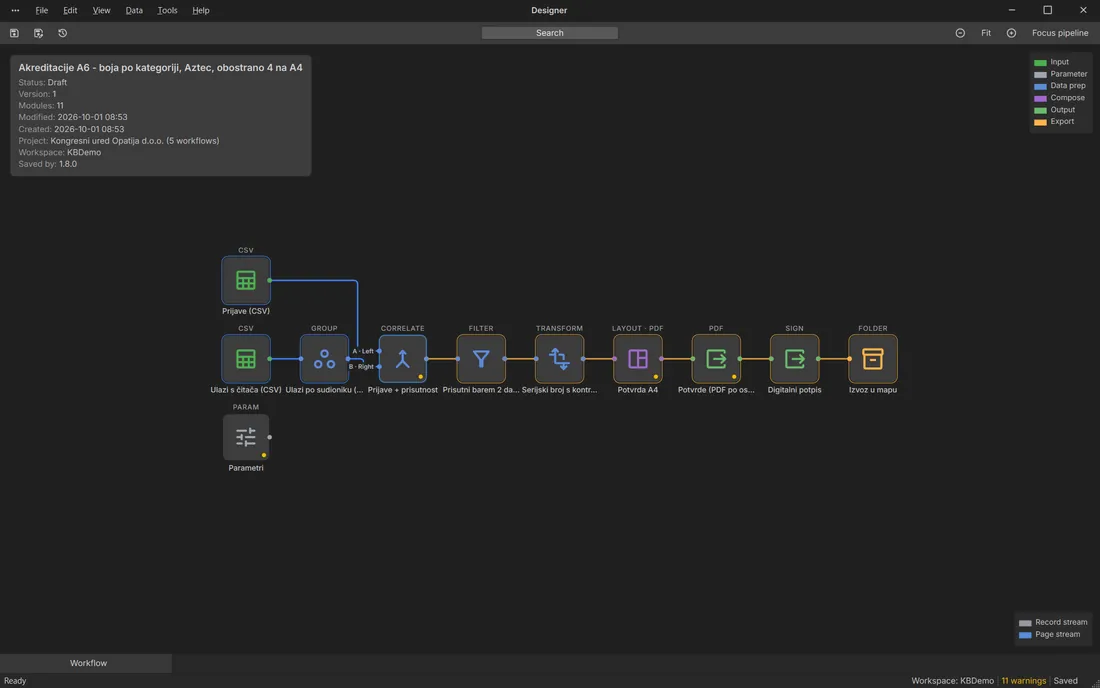
29barcode types
28chart types

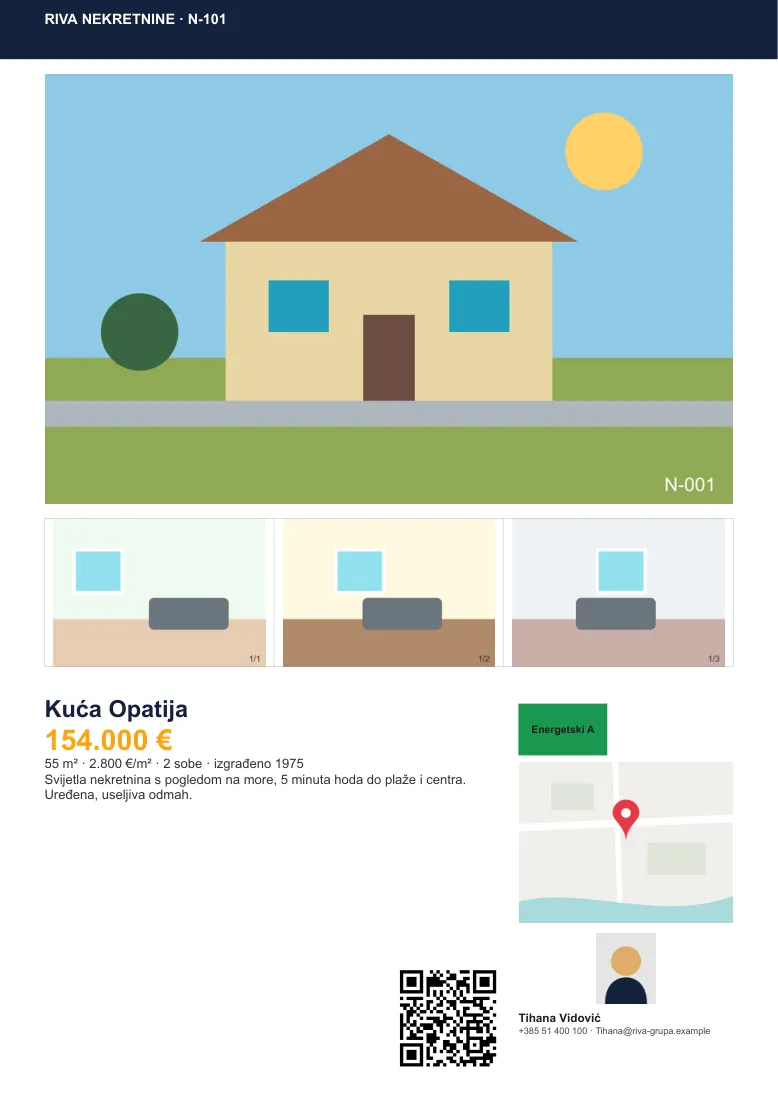
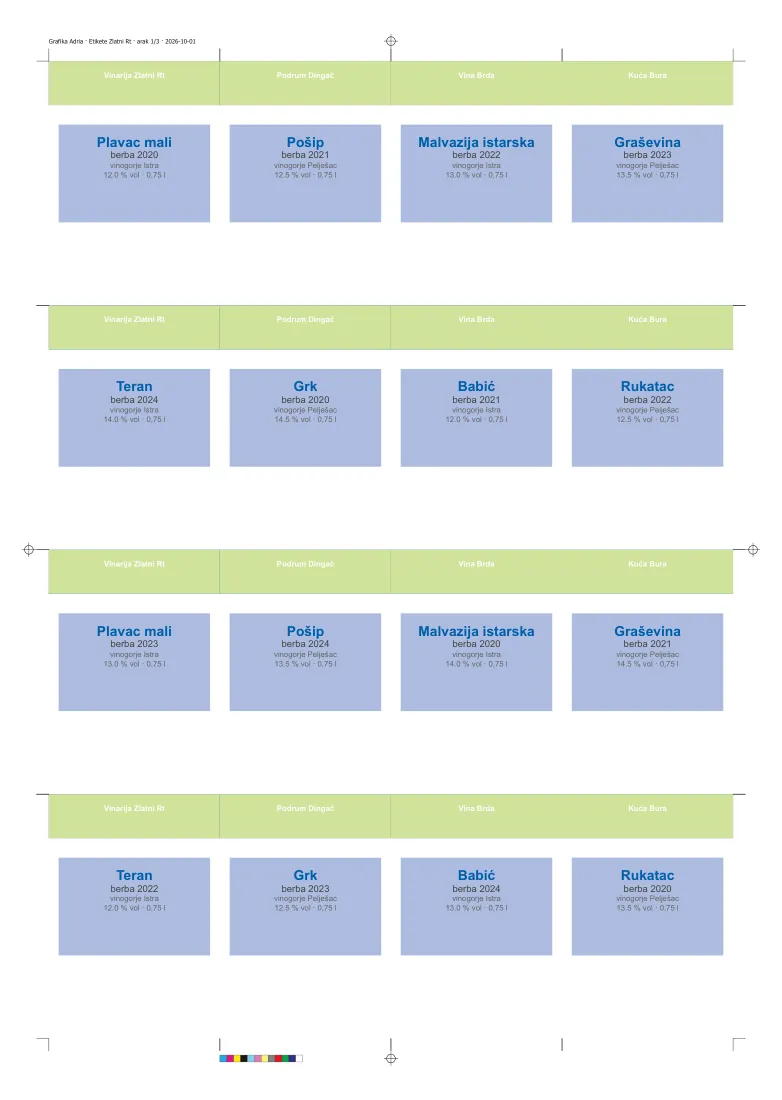
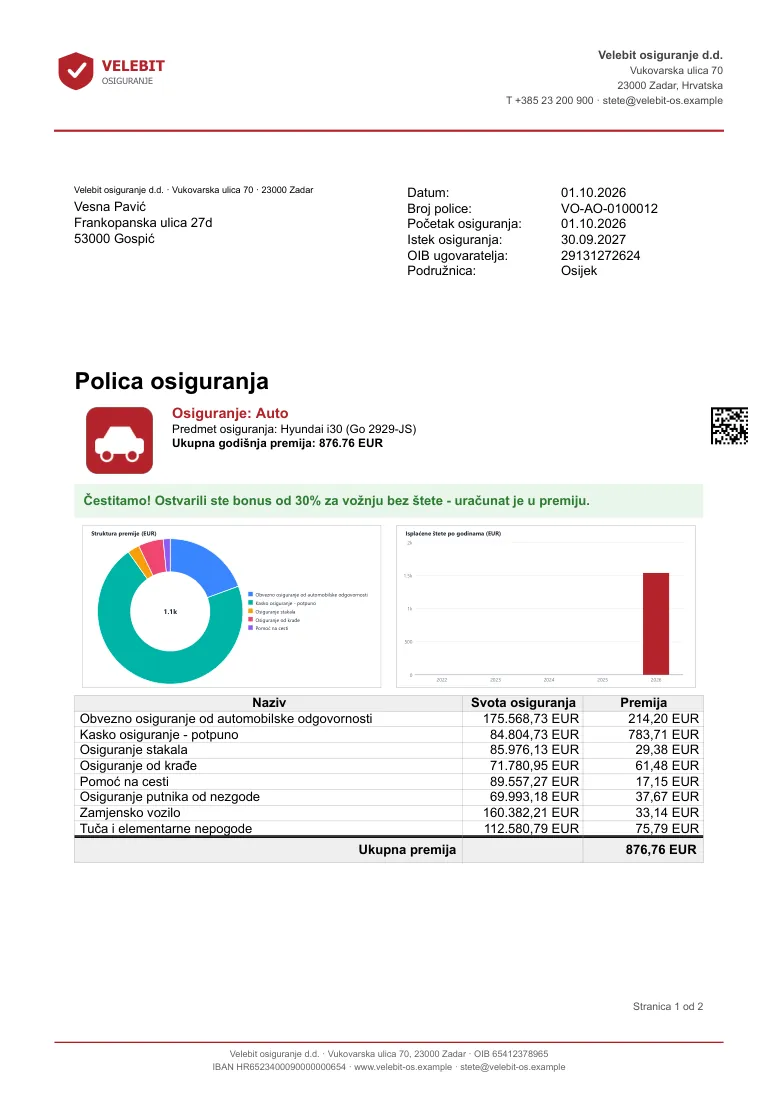
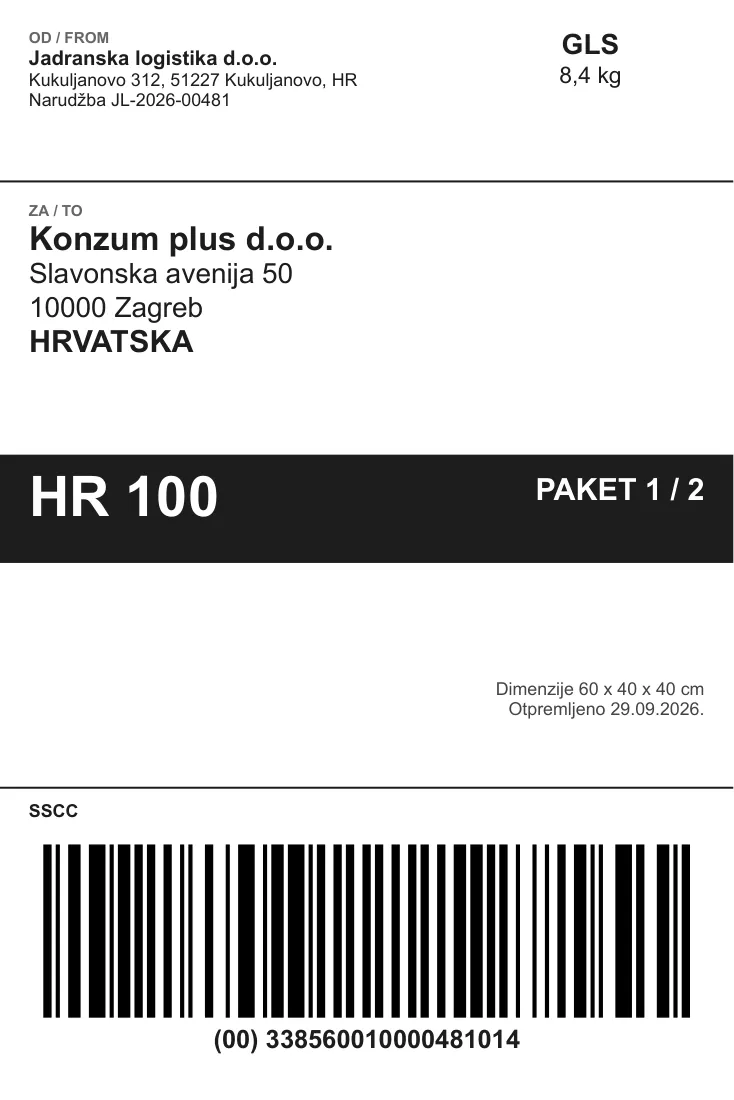
Made in KBStudio. Every page below came out of the starter bundle.
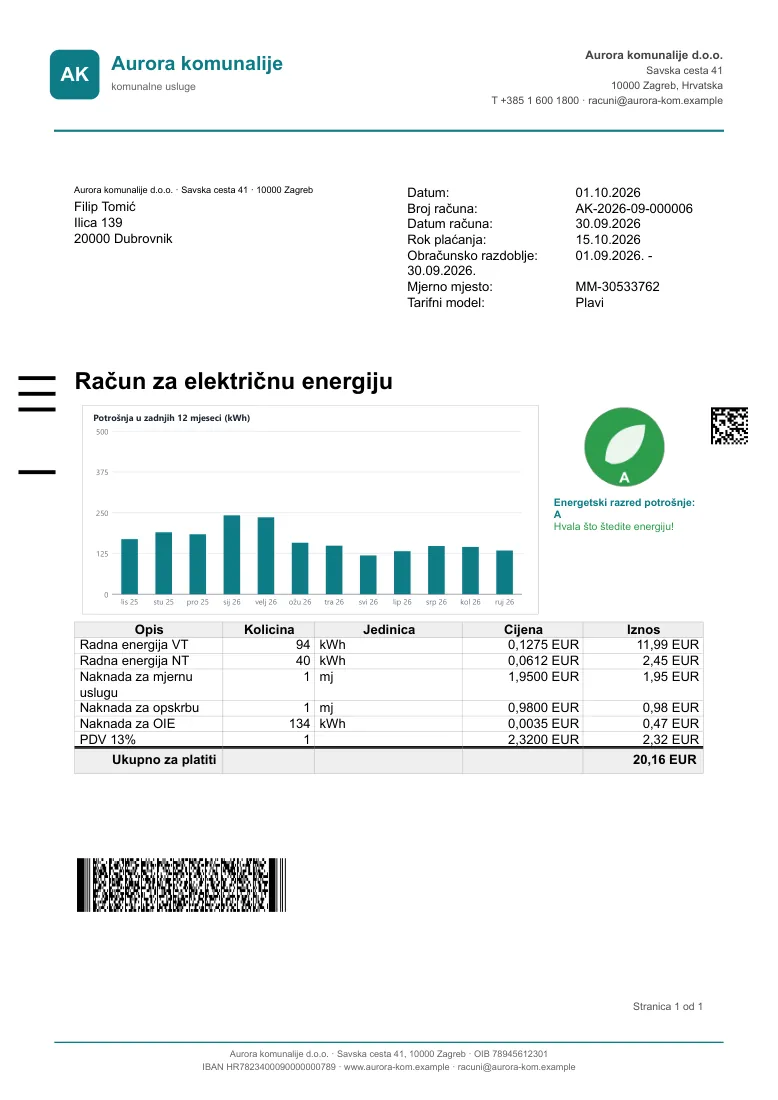
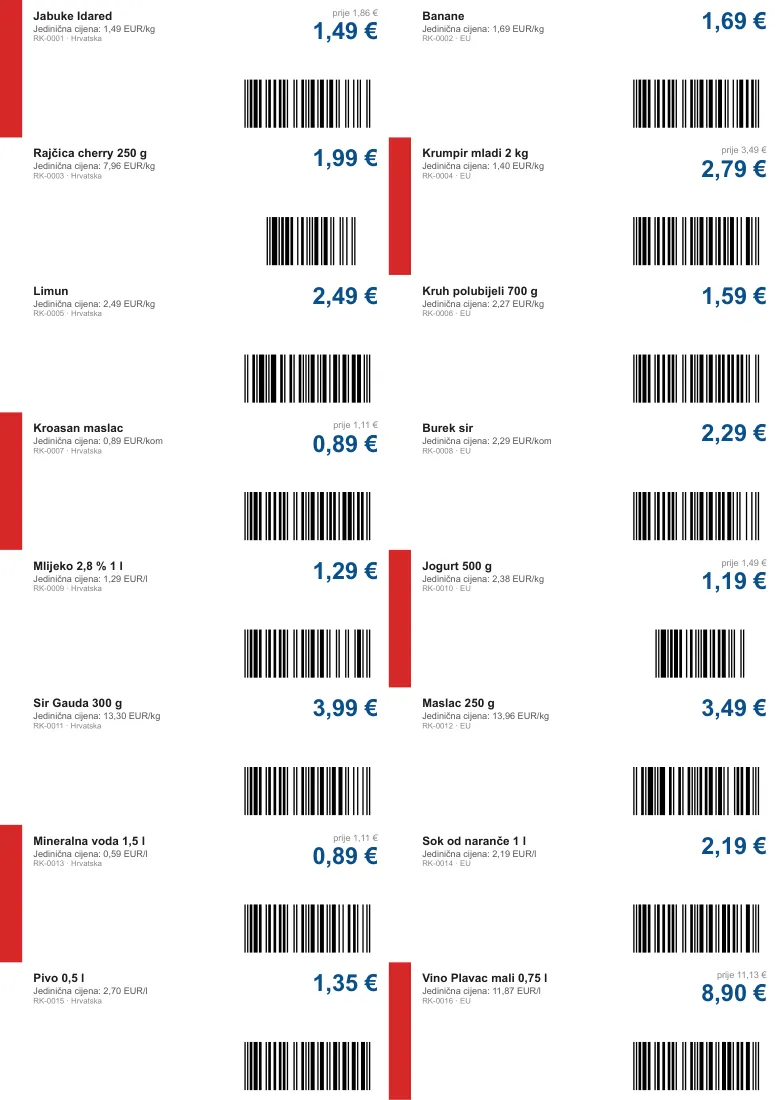
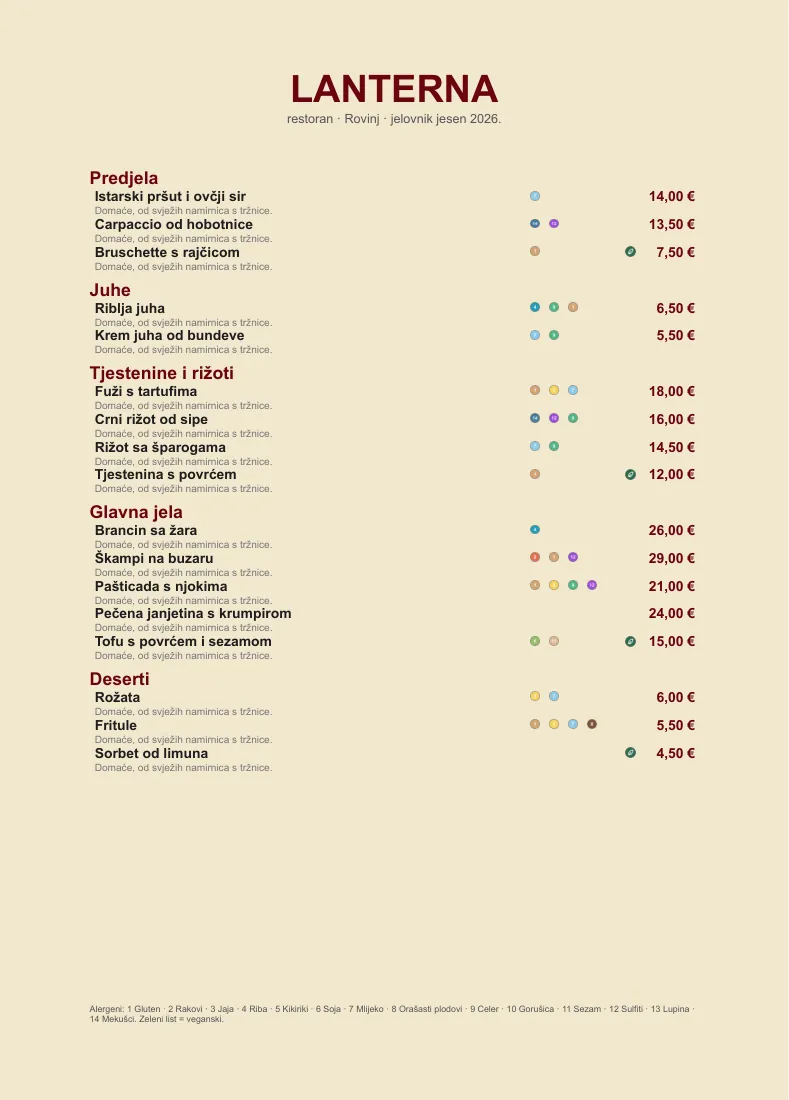
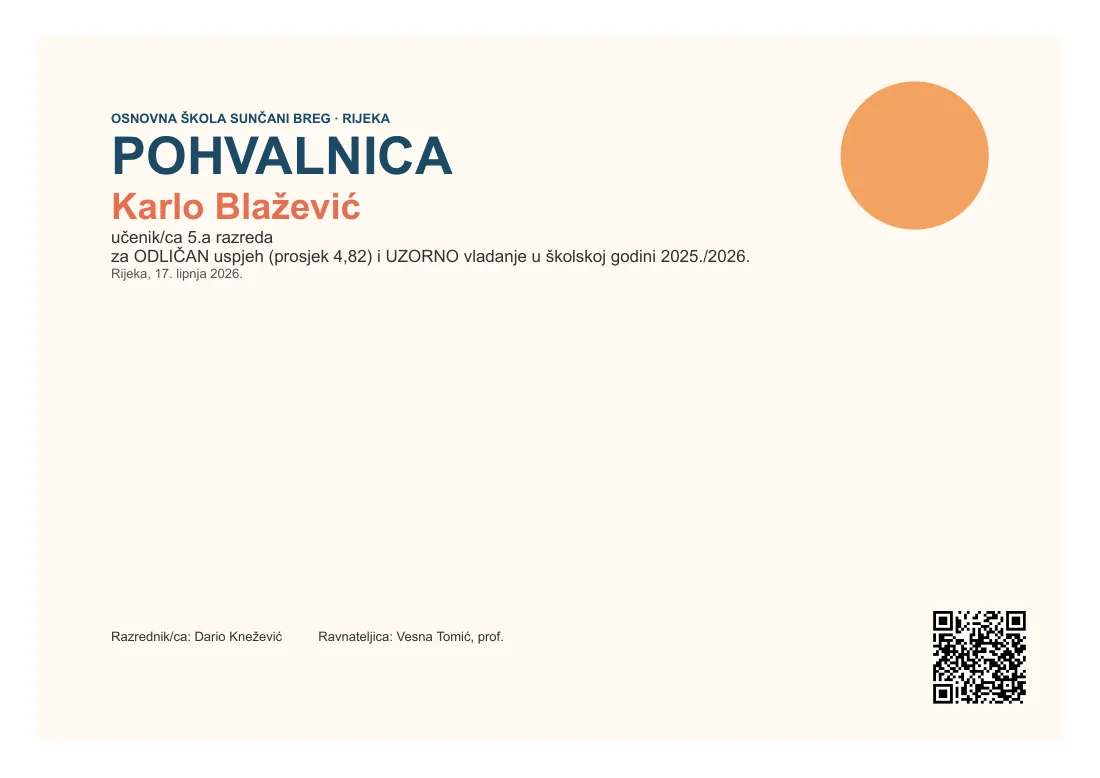
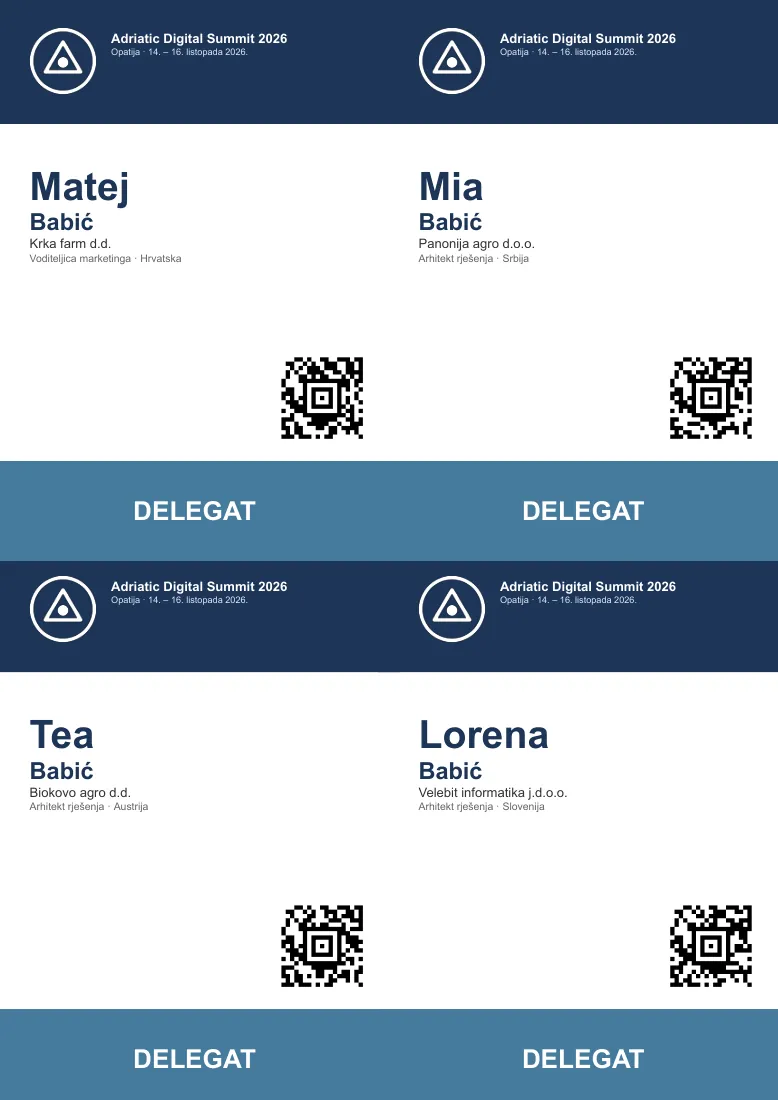
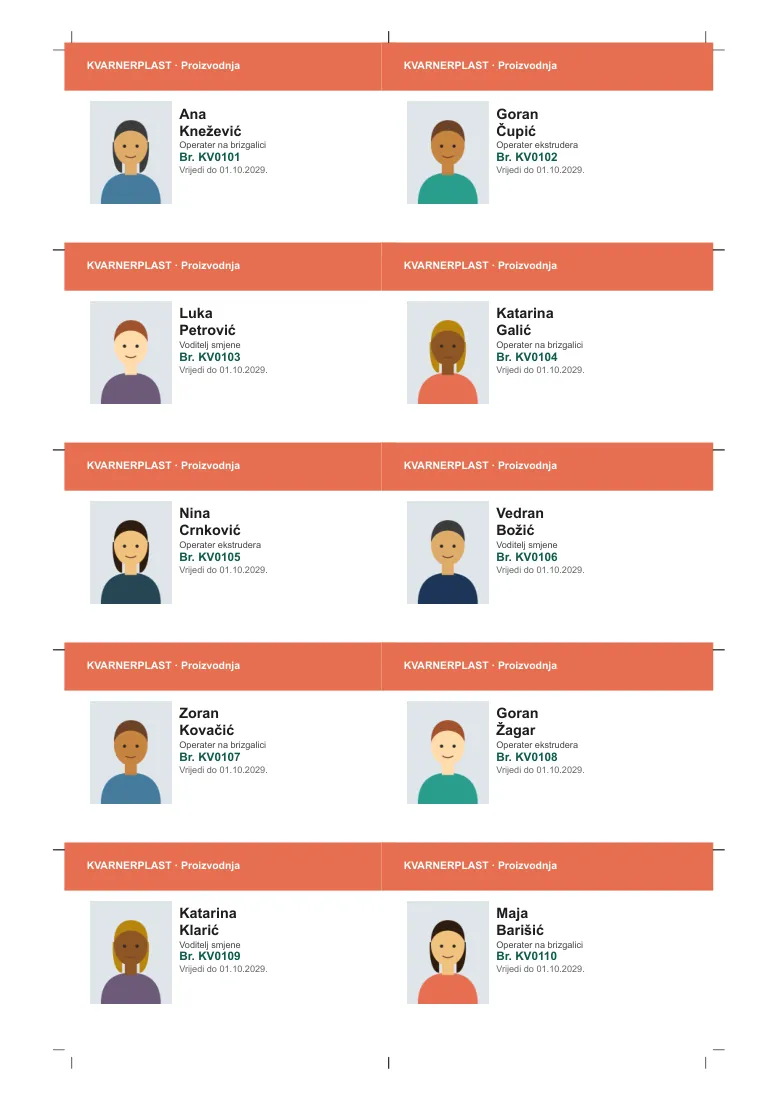
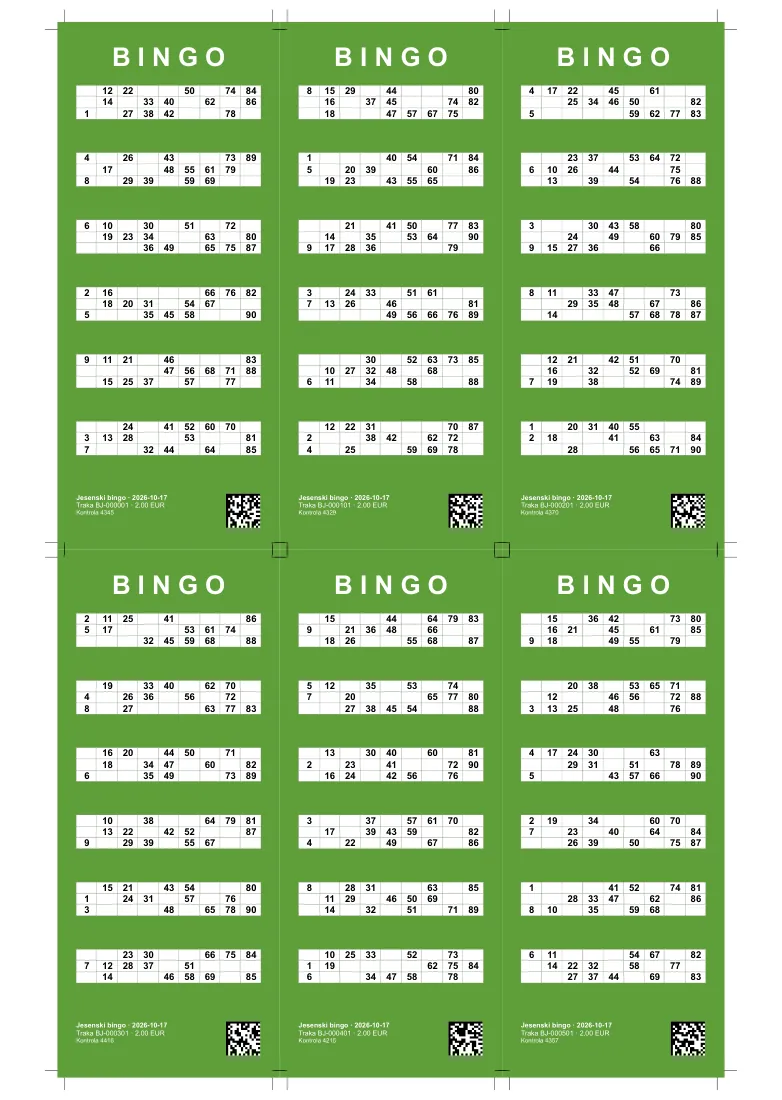
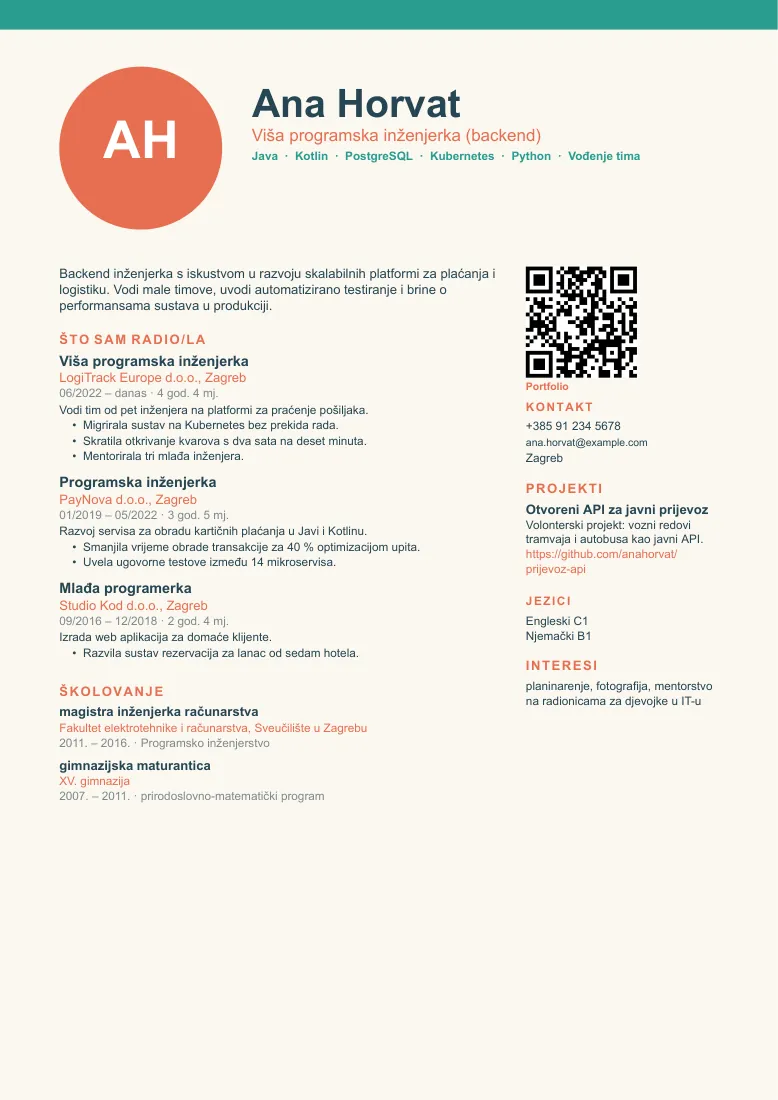
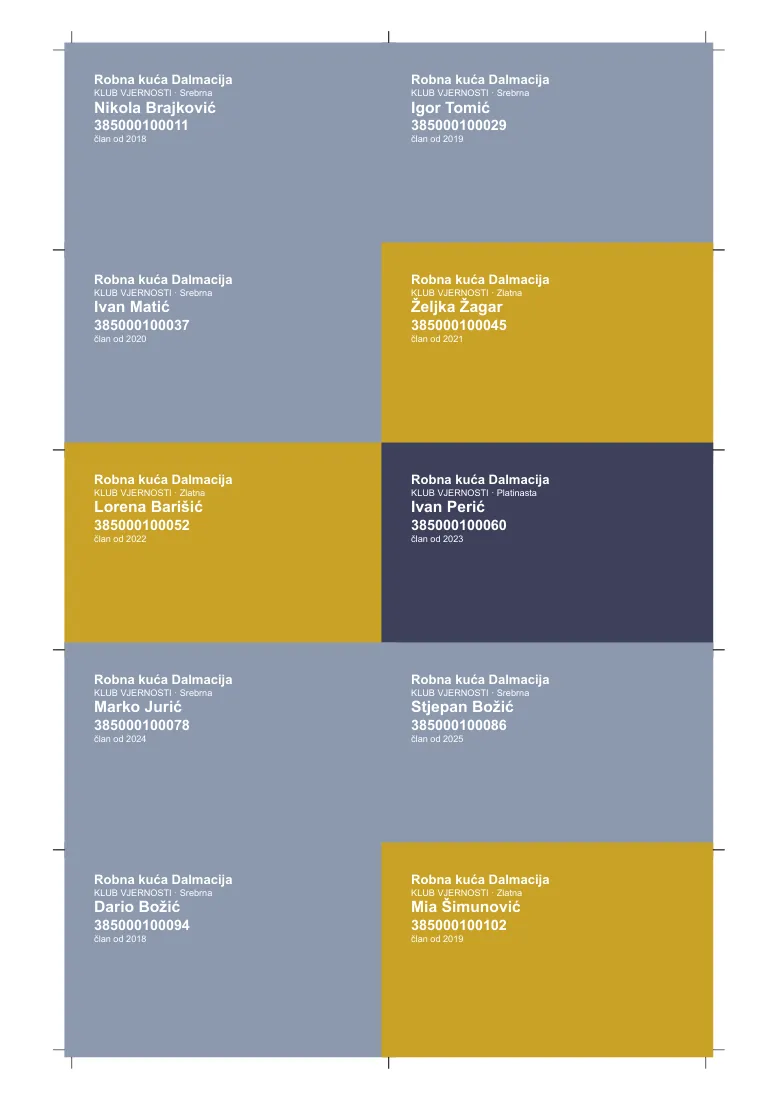
Electricity bill: 12-month chart, energy class, HUB3 CV, infographic design Property exposé with photos, map and agent Labels, 16 per SRA3, with marks, colour bar, spot colour, PDF/X-4 Insurance policy: product picture, bonus band, charts, coverage 4x6 shipping label with SSCC (GS1-128) Shelf labels with unit price, EAN-13, EAN-8, UPC-A Restaurant menu with allergen icons from the data Commendation Conference badges with Aztec, colour by category Wall calendar 2027, cover Merchant report with line and donut charts Employee ID cards with photo and department colour Bingo strips with generated numbers, cut and stack CV, creative design 80 mm fiscal receipt with QR Boarding passes with IATA BCBP in PDF417 Loyalty cards: Luhn number, ITF, colour by tier A5 book, reader's edition PDF copy of a UBL 2.1 e-invoice
01 / Who uses it

For teams that create, process and archive documents in volume

Whether the documents start in your data or arrive as PDFs from somewhere else.

Print shops and mailing houses

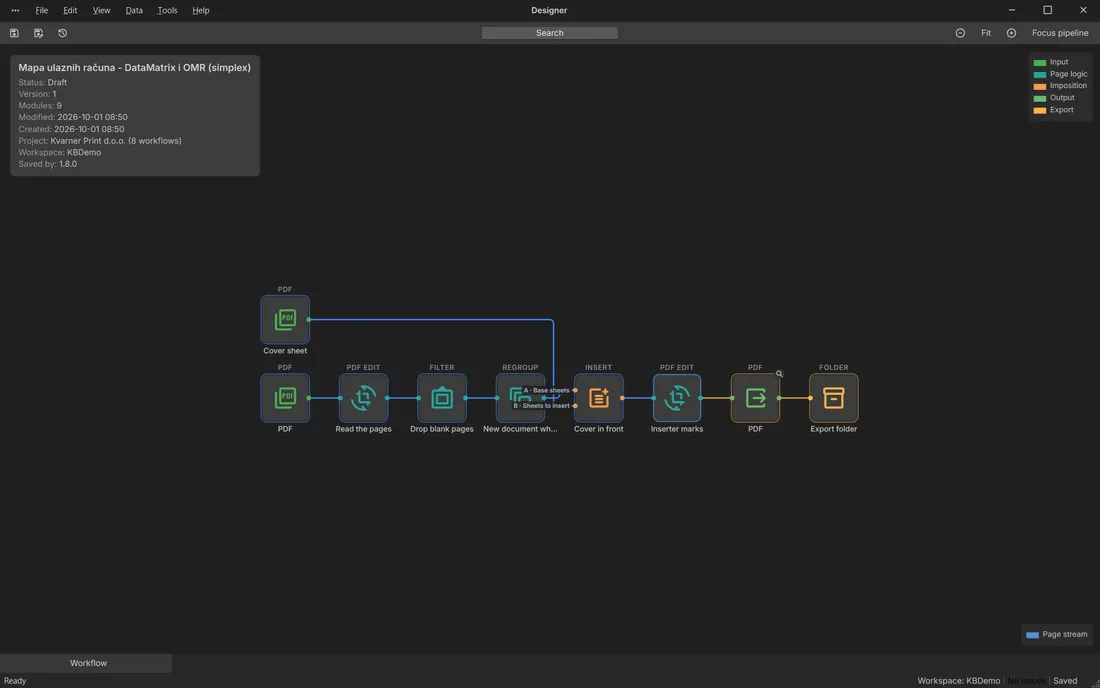
Imposition, inserter marks, spool splitting, spot colours and PDF/X-4.

Banks, insurers, utilities, telecoms

Statements, bills and policies in large runs. Printed, e-mailed and archived at once.

Back offices and shared services

Incoming invoices, scans and spools read, split, cleared of personal data and routed on.

Accounting firms and ERP integrators

E-invoices in UBL 2.1, signed PDF copies and feeds for your DMS.

Archives and records

Searchable scans, PDF/A copies, metadata and bookmarks, delivered straight to your DMS.

Retail and marketing

Price labels, vouchers, flyers, catalogues and personalised mailings.

02 / The product

Four parts that work as one program

You build a job in Designer. The other three parts take it from there.

The whole path in one picture

Data comes in at the top, finished documents leave at the bottom. Every box is a part of KBStudio and every line is a handover you can watch.

Data inCSV · JSON · XML · Excel · SQL · Google Sheets · REST · PDF and print spools
01 · Designer

Design

  • Prepare and validate the records
  • Layouts with tables, charts and barcodes
  • Page logic: grouping, padding, inserts
  • Imposition, marks and colour
  • Page Proof on your own data
02 · Automation

Automate

  • Schedule, watched folder or REST call
  • Runs a pinned workflow version
  • Conditions, HTTP calls, notifications
  • Windows service with a job queue
  • Retries and recovery after a restart
03 · Approval

Approve

  • Request with the produced files attached
  • One reviewer, all of them or a quorum
  • Decide in the inbox or from an e-mail link
  • A deadline per request
  • Every decision is recorded
04 · Publisher

Publish

  • Folder, e-mail, HTTP or SFTP
  • A channel per recipient, with a fallback
  • Confirmation and retries
  • A ledger entry for every delivery
↺ Sent back for changes? The job goes back to Design and runs again once it is fixed.
Documents outPDF · PDF/A · PDF/UA · PDF/X · PostScript · e-mail · print files · UBL 2.1 · JSON · CSV
Monitoring across all fourRun history step by stepLineage per record and pageNotices and system healthTenants with their own jobs and limits
KBStudio

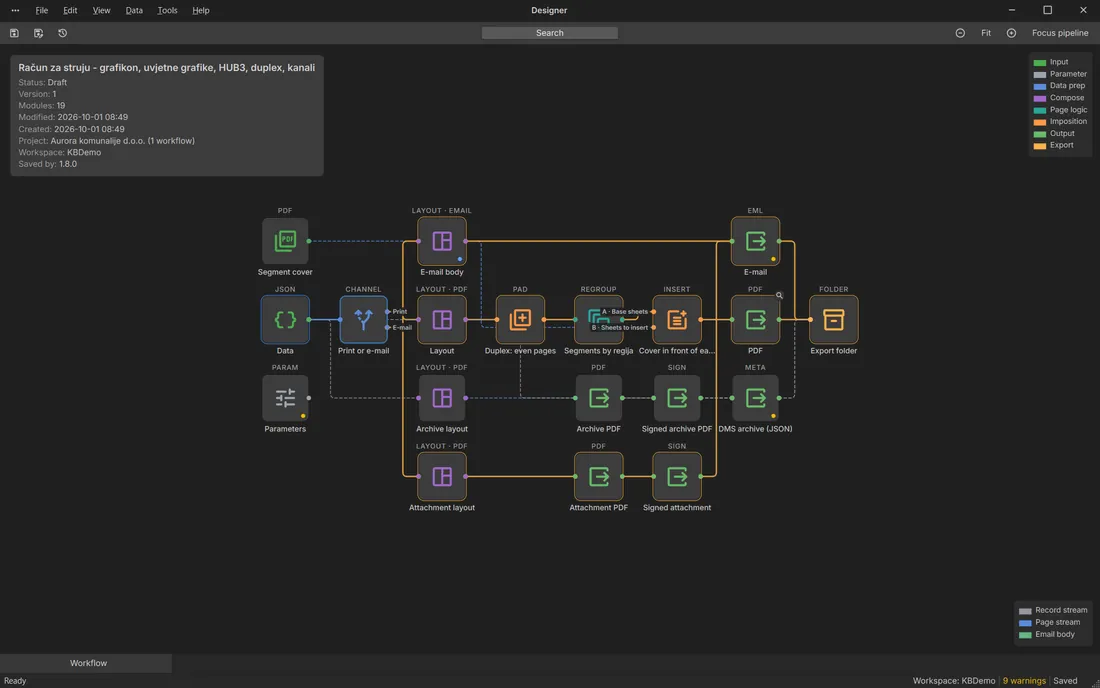
Designer

Where jobs get built. You connect data, prepare it, lay out the pages, check them in Page Proof and choose the outputs.
KBStudio

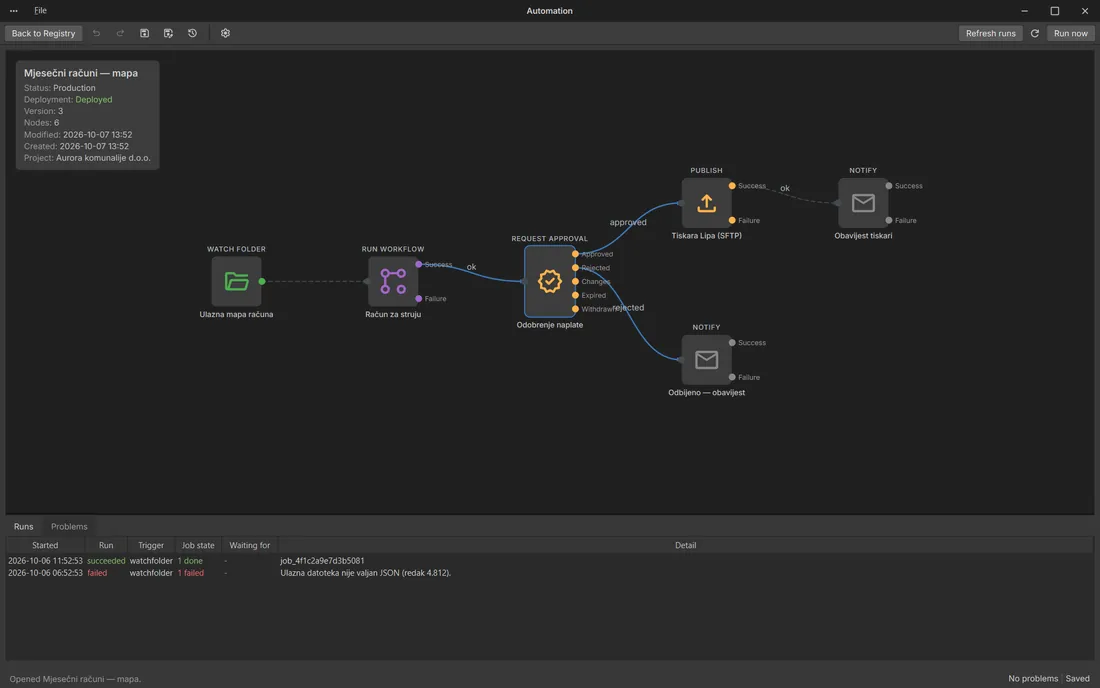
Automation

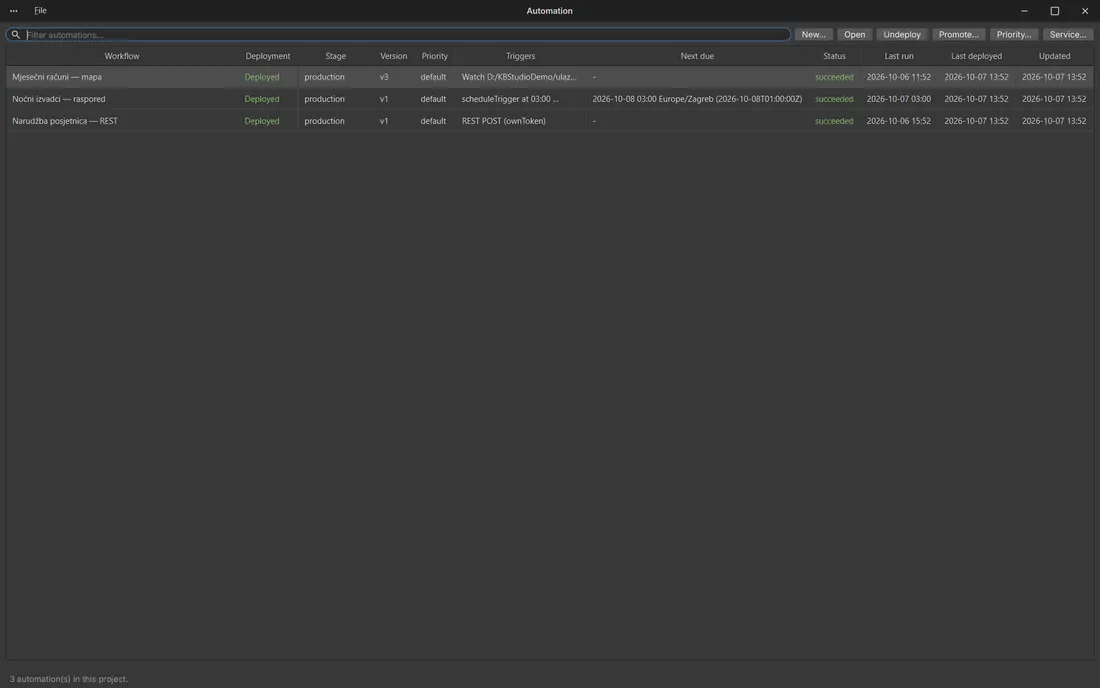
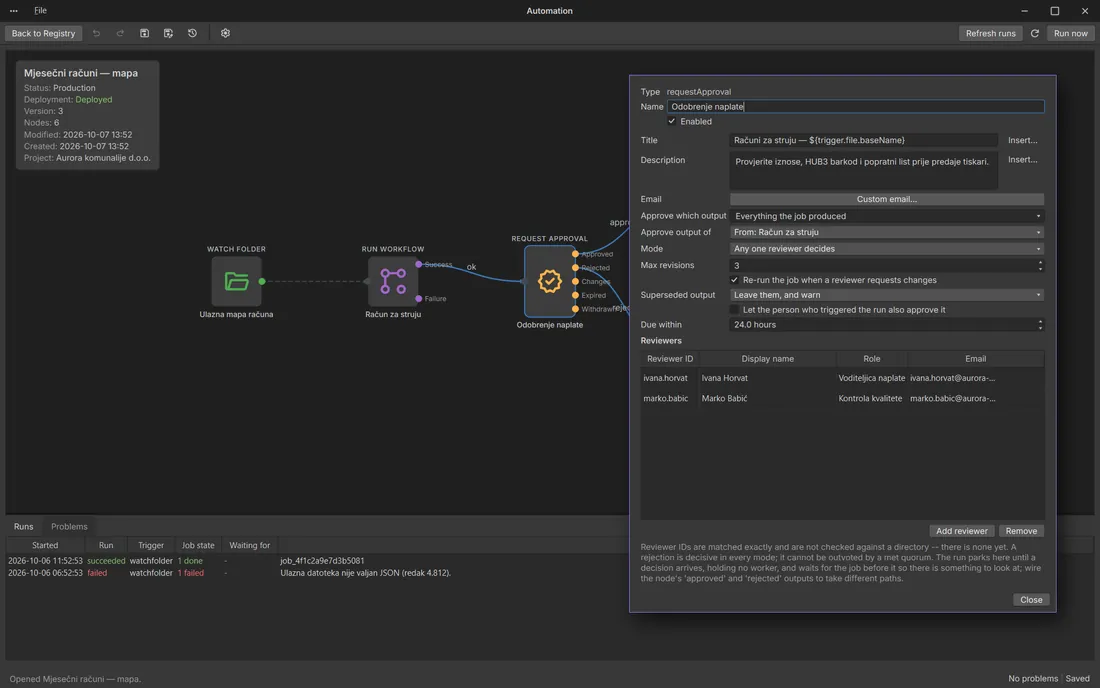
Runs a finished job without you. It can start on a schedule, when a file lands in a folder or on a REST call, and it runs as a Windows service.
KBStudio

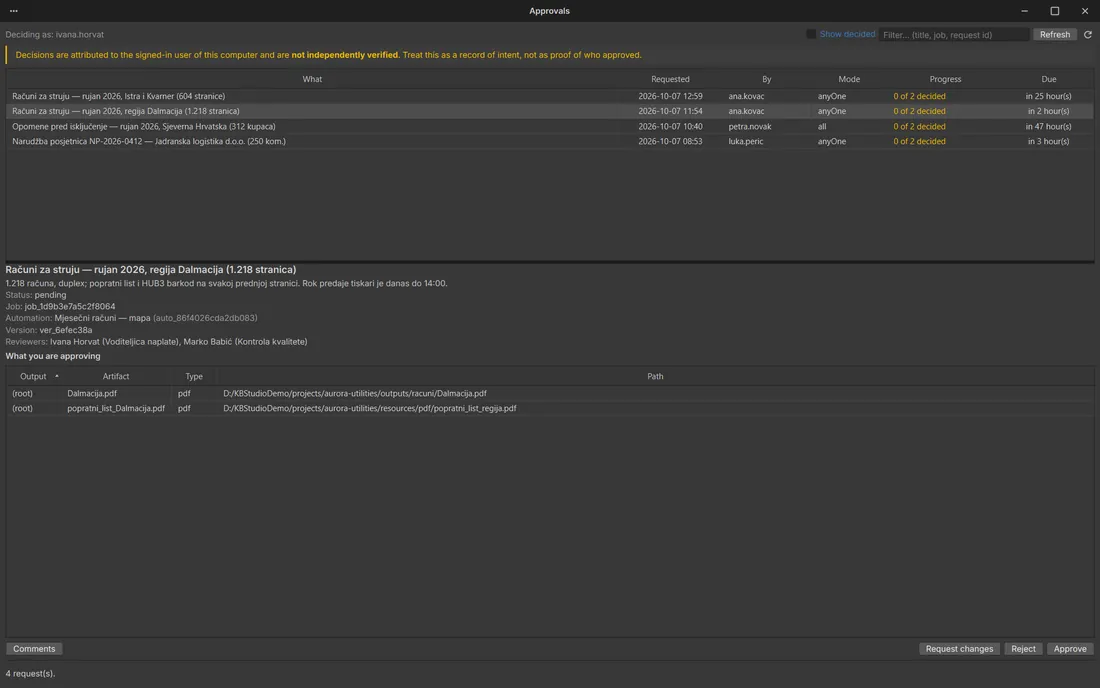
Approval

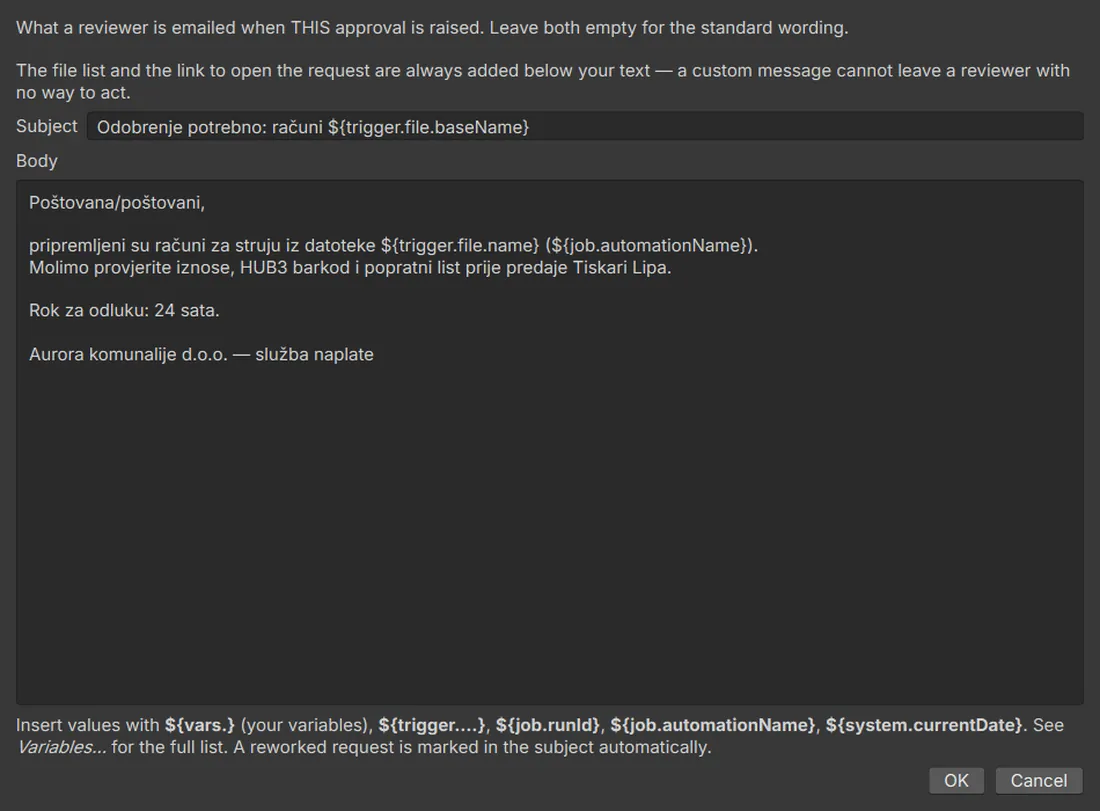
Holds the job until the right people say yes. They can approve in the app or straight from the link in an e-mail, or send it back for changes.
KBStudio

Publisher

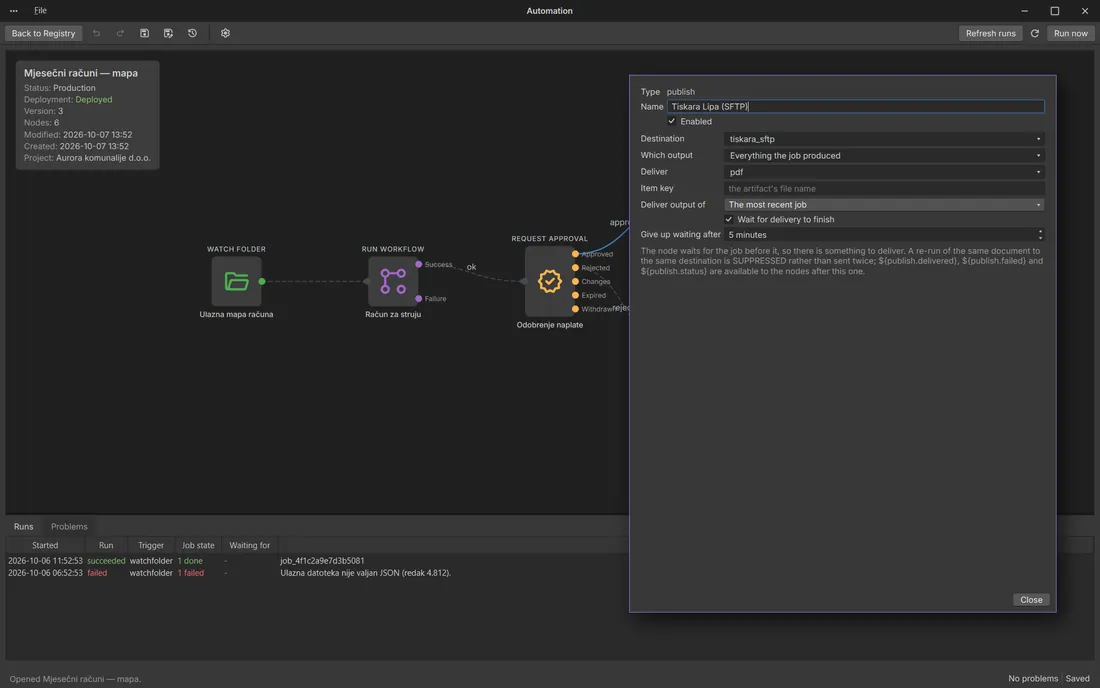
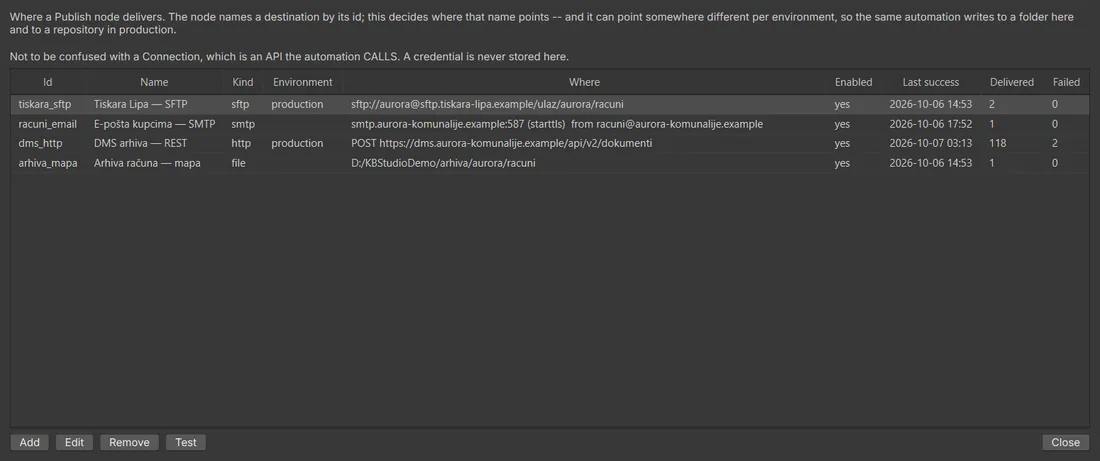
Delivers the files to a folder, an e-mail address, an HTTP endpoint or an SFTP server, retries when something fails and keeps a record of every delivery.
03 / How it works

The path every job takes

Each step below is a node on the workflow canvas. You can open any of them, test it on your sample data and see the result before you move on. Pick a step to see what it covers.

Data

Bring in whatever you have

  • CSV, JSON, XML and Excel, one file or a whole folder
  • SQL databases, Google Sheets and web APIs
  • Existing PDF files and print spools, read page by page
  • Run parameters and generated test data
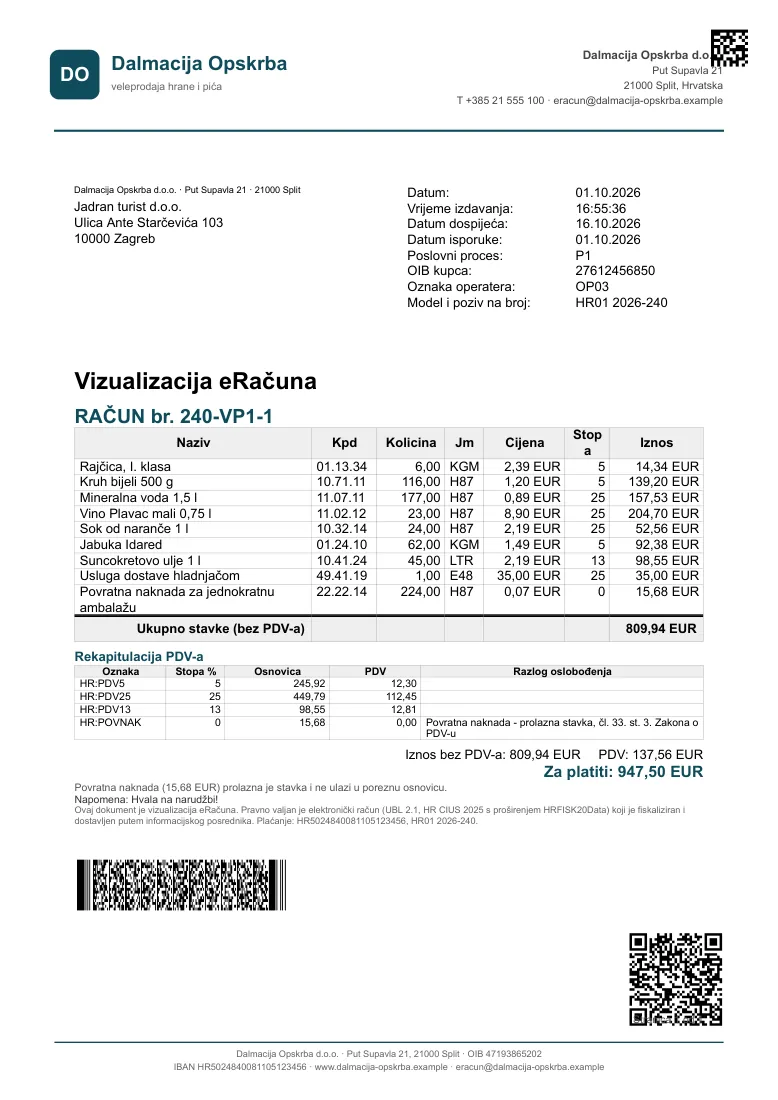
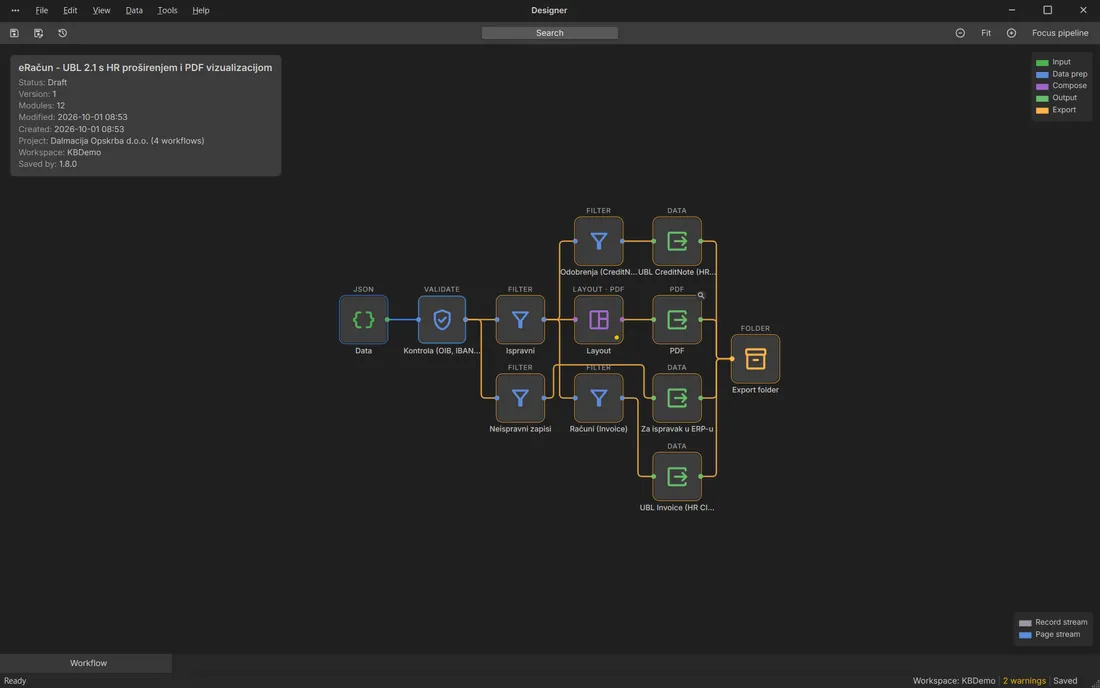
E-invoice: validation, UBL 2.1 and a PDF visualisation
04 / What it can do

The things people ask us about most

MCP

An agent builds it for you

Describe the job in a prompt and an AI agent builds the workflow over MCP, test-runs it on your records and proves it before you even look.

See how it works


Job Builder

Give it a data file and answer ten short questions. You get a complete workflow with address block, table, channels and output, and you can change all of it afterwards.
Print production

Imposition, booklets, gang-up on SRA3, crop and registration marks, colour bars, spot colours and PDF/X-4.

Imposition: 16 labels on SRA3
PS

PostScript output

Print straight to a press or an older RIP. Import the PPD and the trays, media and device commands come into the job, with imposition, spot colours and transparency.

Runs by itself

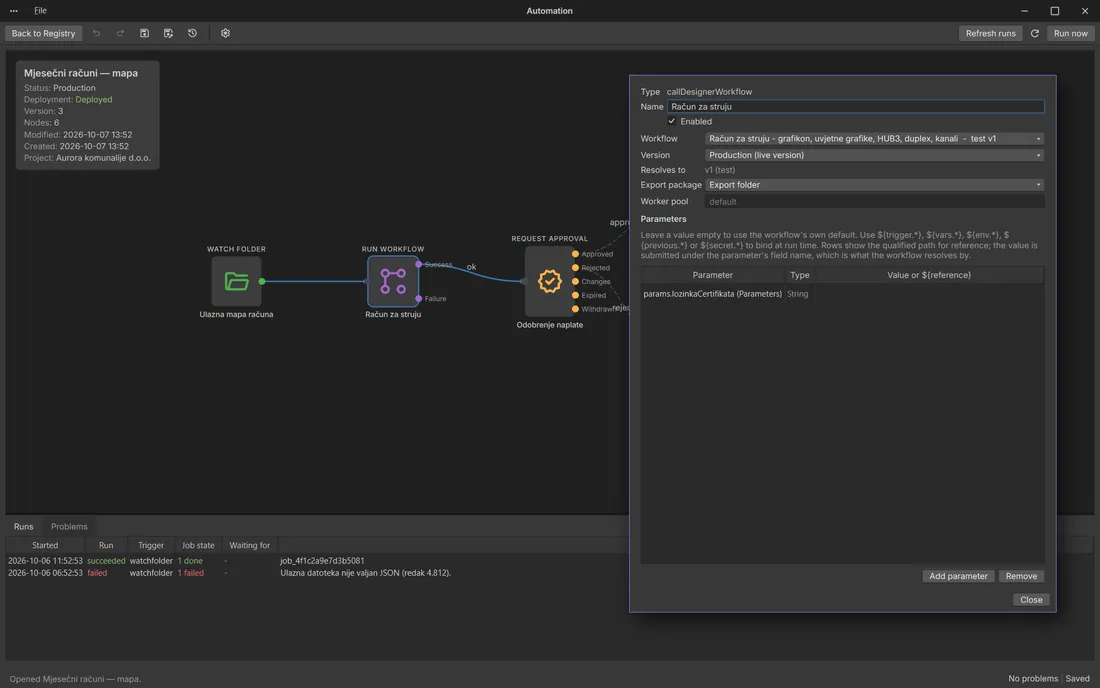
Schedules, watched folders and REST calls start the job. A Windows service runs it, approvals hold it and Publisher delivers it.

Automation: folder → workflow → approval → publish

Checked before it ships

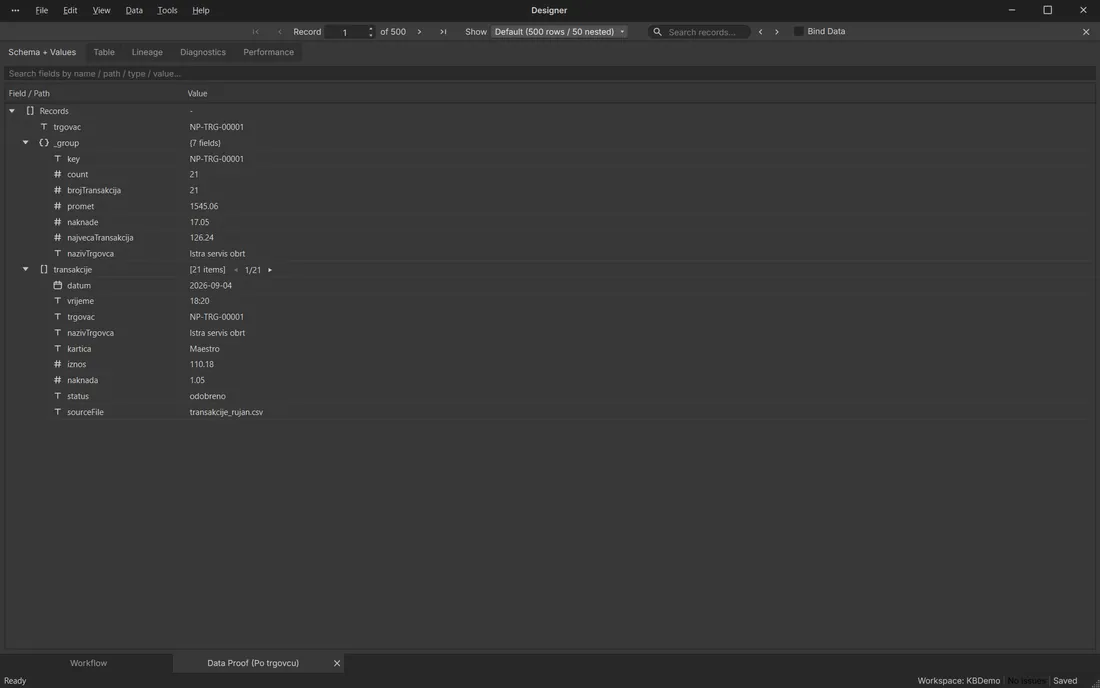
Page Proof, Data Proof, validation and a full run log, so you know what went out and why.

Page Proof: an electricity bill, page by page

Existing PDFs

Read values off the page, split spools per customer, OCR, redact, stamp Bates numbers. It handles 20,000-page files without loading them whole.

PDF Page Transform: reading values from the page

E-invoices

UBL 2.1 with the Croatian extension, Fiskalizacija 2.0 and FINA B2G, plus a readable PDF copy.
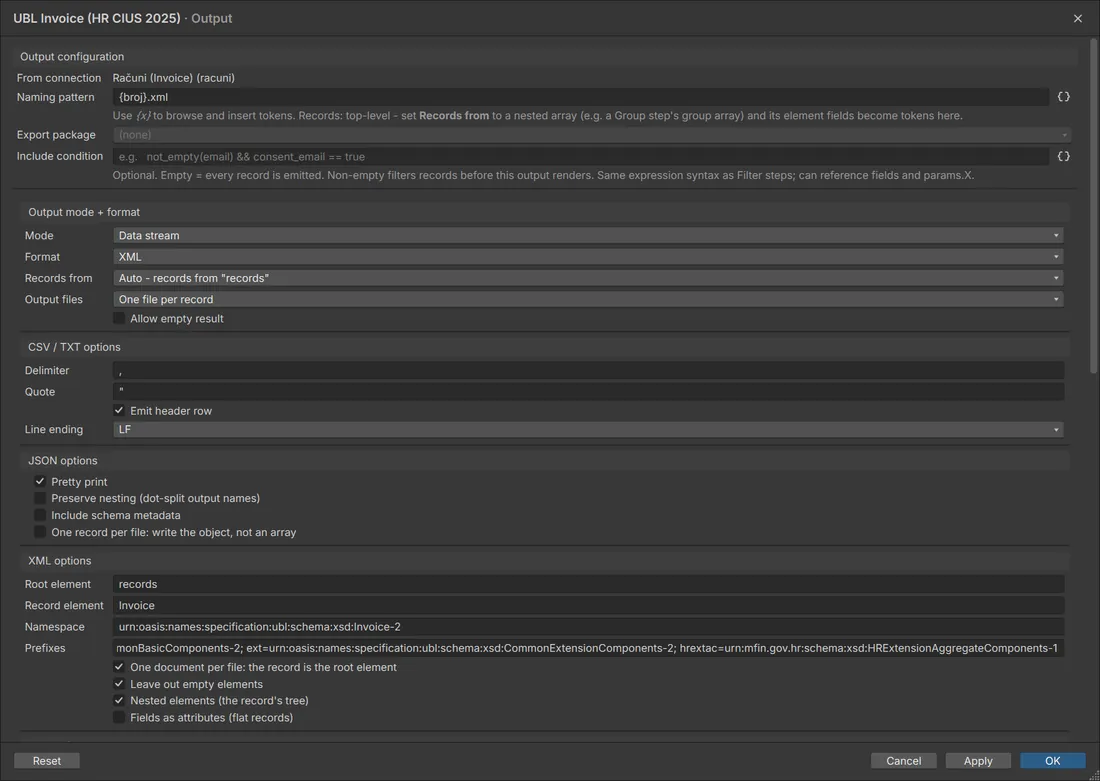
UBL 2.1 XML output
29

29 barcode types

QR, HUB3, DataMatrix, Aztec, MaxiCode, GS1-128, EAN, UPC, ITF-14, Code 128 and more.

Inserting

DataMatrix and OMR on every page or only on front sides, with sheet and set counters for the machine.

Signing and passwords

PAdES signatures with a visible signature box and a password per recipient, for example the employee's personal ID number.

Channels

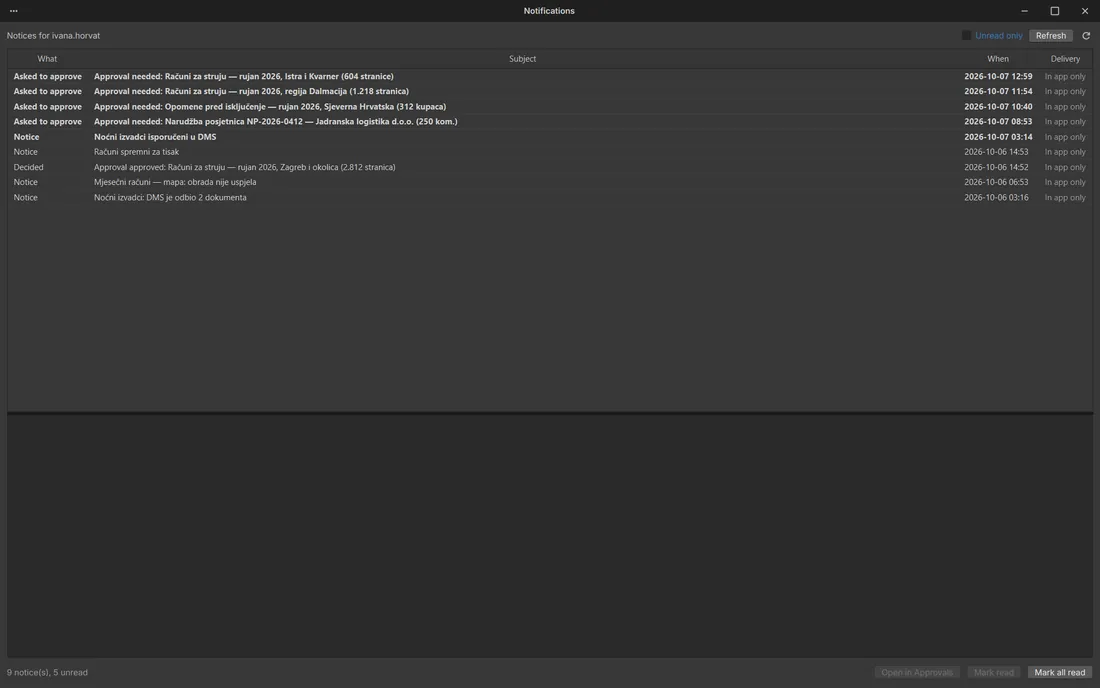
Each recipient gets e-mail, paper or an archive copy, depending on consent and whether the address is valid.

WCAG

Accessible documents

Tagged PDF/UA with alt text, reading order and table headers. Checks for WCAG colour contrast, headings and language before export, and a conformance report after it.

Also in the box: tables across pages, table of contents and running heads, PDF forms, tagged PDF for accessibility, number and date formats, reusable components and styles, and project archives you can move to another computer.

05 / New

Tell an agent what you need, it builds the workflow

KBStudio speaks the Model Context Protocol, so an AI agent in any MCP client can build workflows for you. It drafts them, runs them on your own sample records, looks at the pages that came out, decodes the barcodes and writes a checks file anyone can run again.

What you write

Build a monthly statement for 40,000 customers from statements.json. Letterhead as the page background, the address in a DL window, a transaction table that continues across pages with its header repeated, Page X of Y, and a DataMatrix on every page for the inserter.

What comes back

  • A finished workflow in your workspace, validated clean
  • A test run on your own records, with the pages rendered and read back
  • Barcodes decoded and checked against the values they should carry
  • A checks file and a short README: what was built, what still needs a decision

Built for numbers. Dozens to hundreds of jobs in the time one used to take. We made 23 client projects with 96 workflows this way.

The agent drafts, you decide. It works only inside the workspace you name and only at the development stage. It cannot promote a workflow, deploy an automation, send e-mail or reach the production queue.

06 / Existing PDFs

Already have PDFs? KBStudio works on them too

Print spools from another system, scans, incoming invoices, a folder of statements. KBStudio reads them, splits them, redacts and stamps them, and writes them out again. Imported pages stay native PDF objects; nothing is turned into an image.

Read what is on the page

  • Text from any area, with OCR for scanned pages
  • Barcodes such as QR, Code 128 and DataMatrix
  • Each page joined to your customer data by the value found on it
  • Blank pages detected, ink coverage (TAC) measured

Rules with conditions

  • Rules for selected pages only: first, last, odd, even or a range
  • Any condition on the page, for example only landscape pages
  • Child rules that run only when a value matches, such as INVOICE
  • Every rule tested on the page in front of you before the run

Split and sort

  • A new document whenever the customer number changes
  • Split by bookmark, without reading any text
  • A whole folder of PDFs, one record per file
  • Covers, inserts, terms and return envelopes added per document

Edit the content

  • Text, images or vector graphics removed from an area
  • Objects moved by an exact distance
  • An area covered with a box or clipped out of the print
  • Each rule placed by corner or edge, so it fits A4, Letter and landscape pages

Redact and clean up

  • Secure redaction: the content is removed, then checked at export
  • Everything matching a pattern redacted, such as account numbers
  • Forms and annotations flattened into the page
  • Links, comments and stamps removed

Change the pages

  • Scans made searchable with an invisible OCR text layer
  • Pages rotated, scaled and cropped
  • A page replaced with one from another PDF
  • Very large files processed page by page, 20,000 pages and more

Stamp and number

  • Barcodes and OMR marks for inserting machines
  • Bates numbers, page counters, dates and watermarks
  • Logos and signature images
  • A whole layout laid over the existing pages

Look inside a PDF

  • Properties, bookmarks, attachments, form fields and signatures as data
  • Fonts that are not embedded and images below print resolution
  • Damaged, locked or invalid files reported with error codes
  • Invoice lines read from Factur-X, ZUGFeRD and XRechnung attachments

Before and after

Each pair is the page that went in and the page KBStudio wrote. The company and the data are invented.

After Before BeforeAfter

A statement after anonymisation: the account holder block, IBANs, card numbers and OIBs are removed from the file, not just covered.
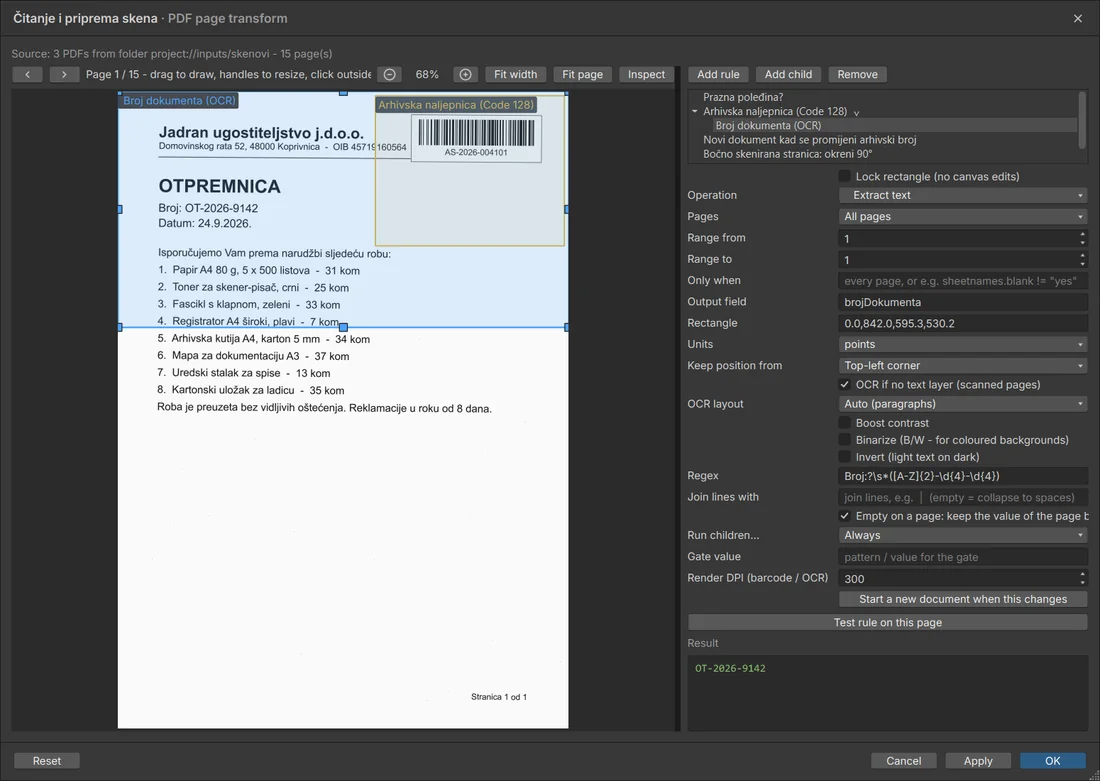
Extract text with "OCR if no text layer"
Extract text with "OCR if no text layer"The document number read from a scanned page, with the OCR options.
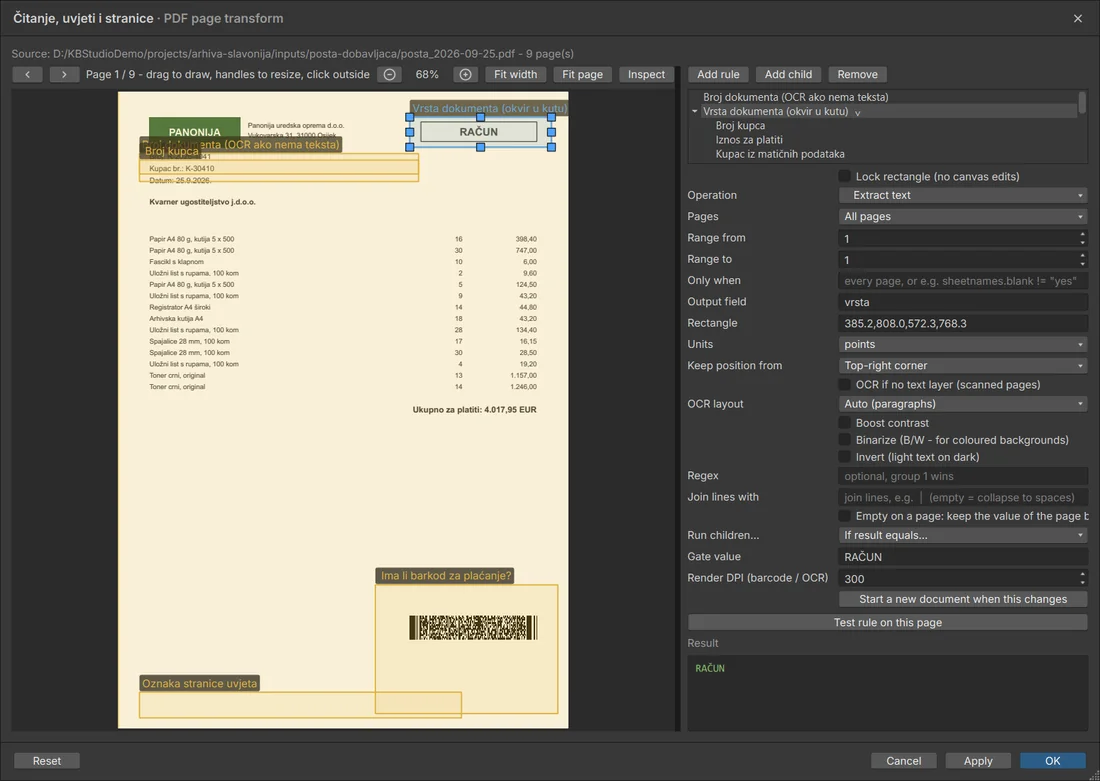
A condition
A conditionThe child rules (customer number, amount, lookup, barcode check) run only when the document type reads RAČUN.
Secure redact as a child rule
Secure redact as a child ruleThe account holder block is removed only on statements (the parent reads the title IZVOD).
Move objects
Move objectsThe address block moves into the envelope window; the preview shows the page as it comes out.

Then sign them (PAdES), protect them with a password per recipient and deliver them like any other output.

07 / For production

Projects, versions, tenants and the systems around you

A document job in production needs more than a nice layout. It needs a place to live, a history, separation between customers and a way to talk to your other systems.

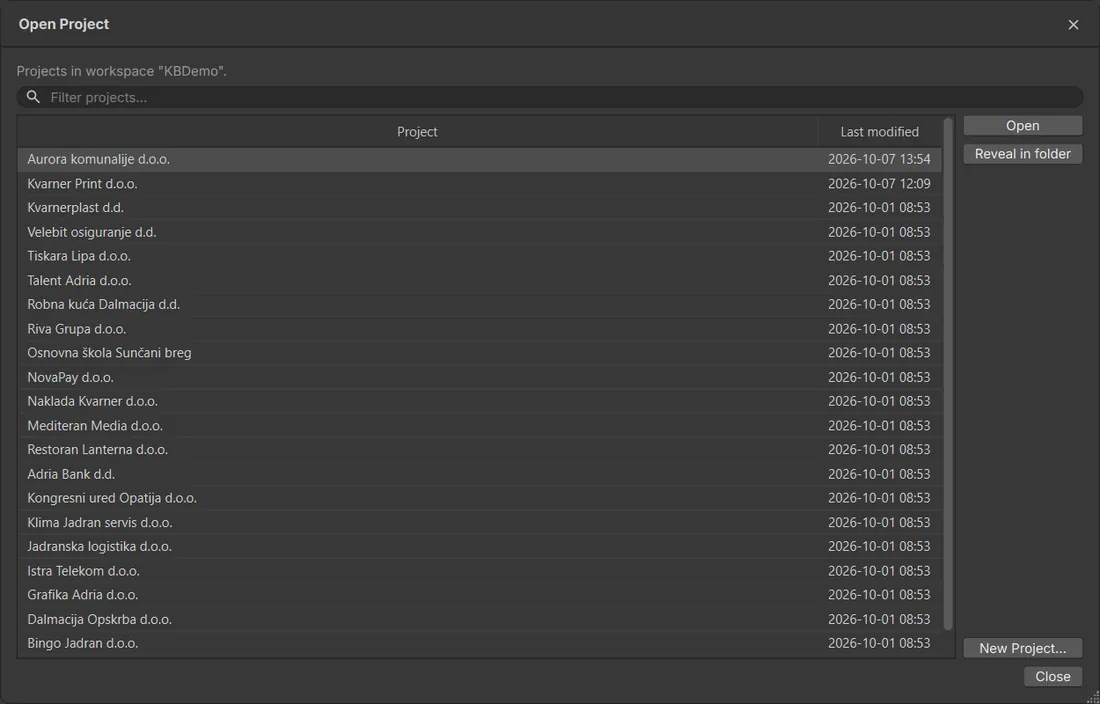
Workspaces and projects

Work is organised into workspaces and projects. A project holds its workflows, layouts, data samples, fonts and pictures, and you can pack it into an archive and open it on another computer.
  • One workspace per team or customer, many projects inside
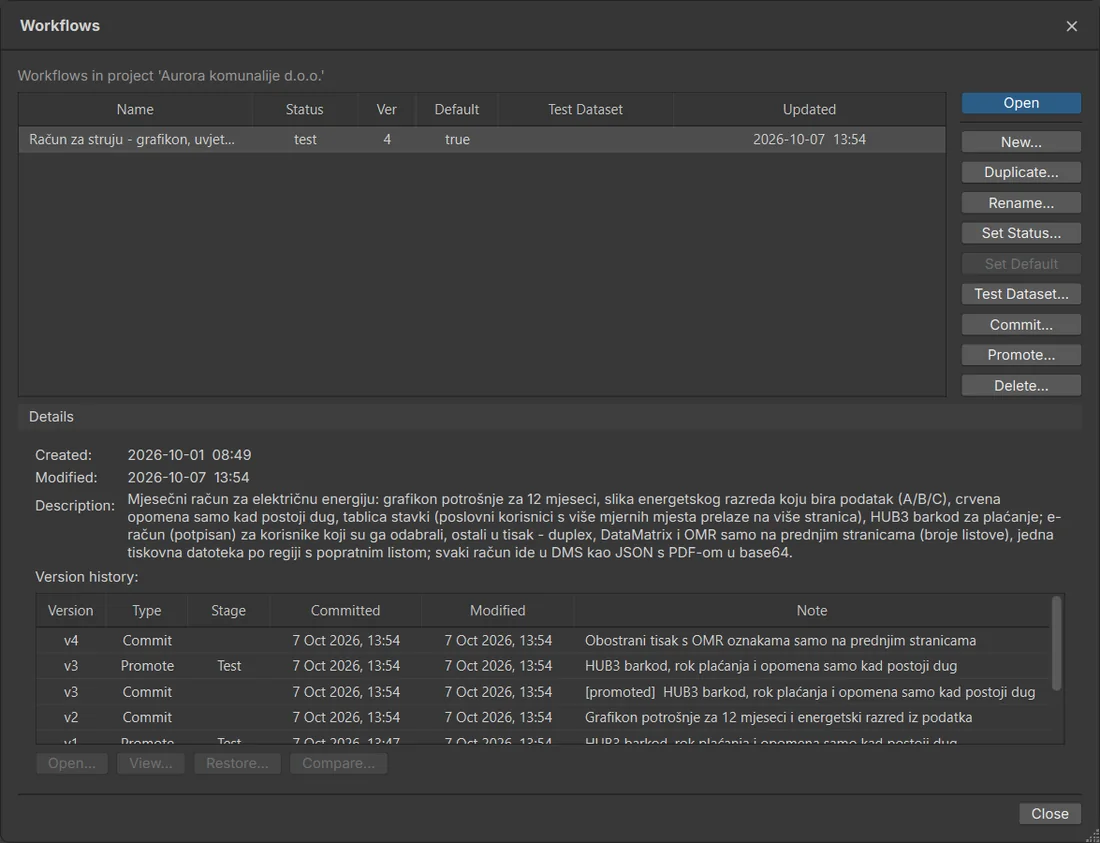
  • Workflow catalogue with status, version and owner
  • Shared components and styles reused across projects
  • Project archives that carry every resource with them
Projects in a workspaceWorkflows in a project

Versions and promotion

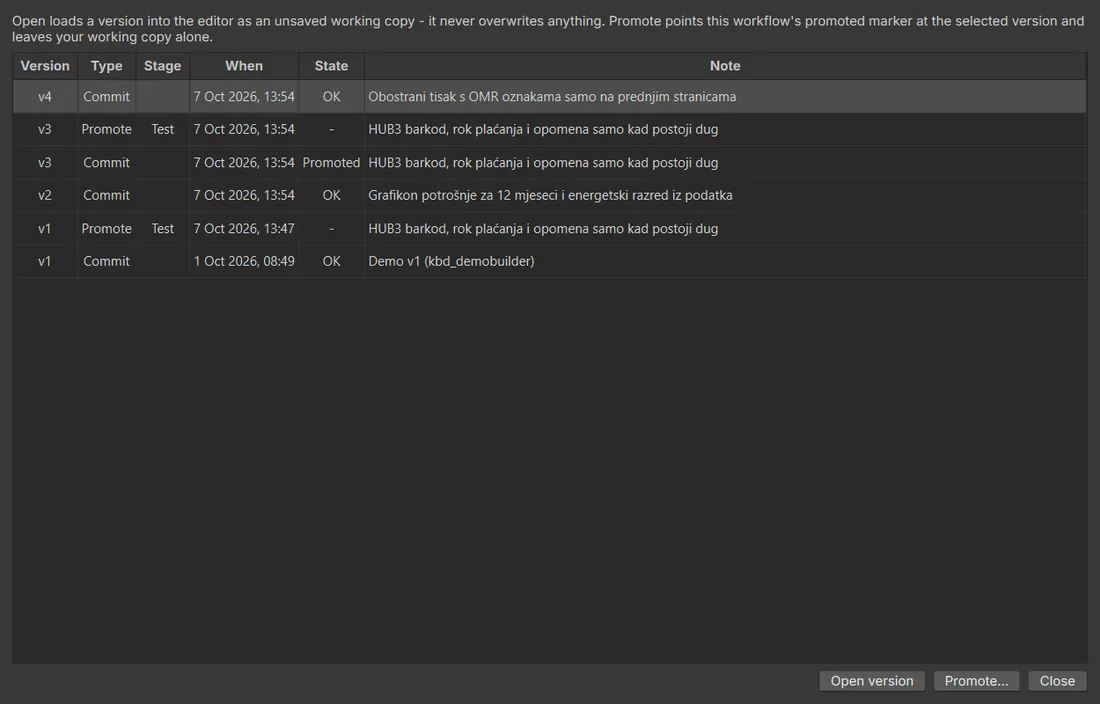
Every workflow and automation has a history. You commit a version with a note, compare and restore older ones, and promote a tested version to production when it is ready.

  • Commit with a message, see who changed what and when
  • Draft, test and production stages
  • Production always runs a known, promoted version
  • Roll back to an earlier version in one step
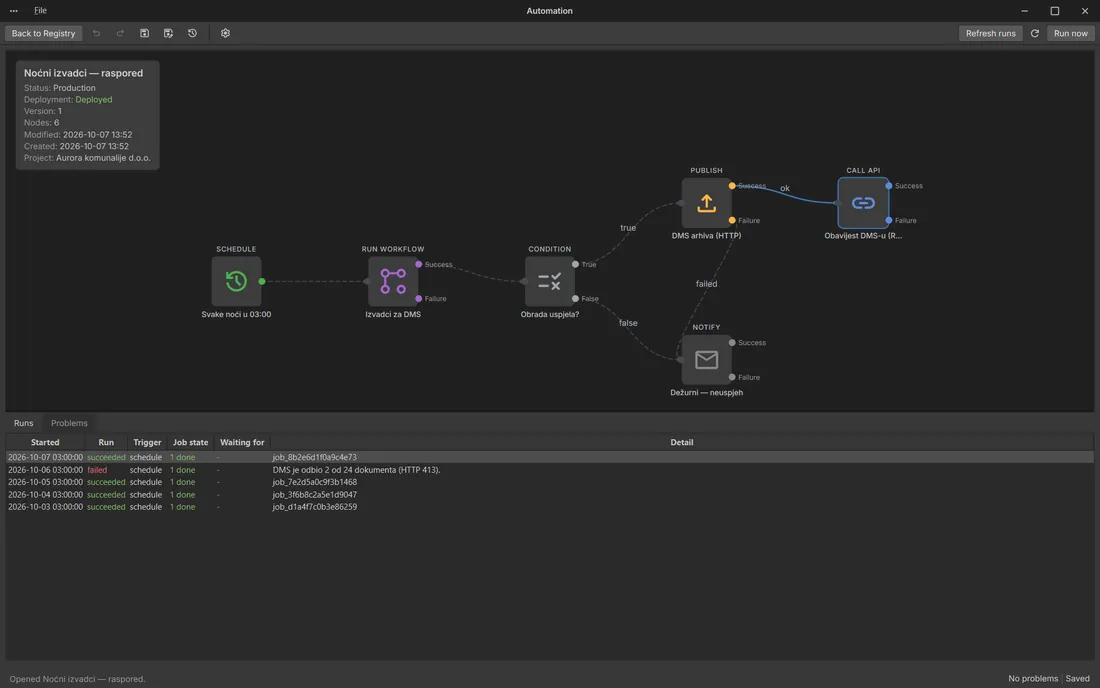
Workflow version historyAutomation versions

Multi-tenant

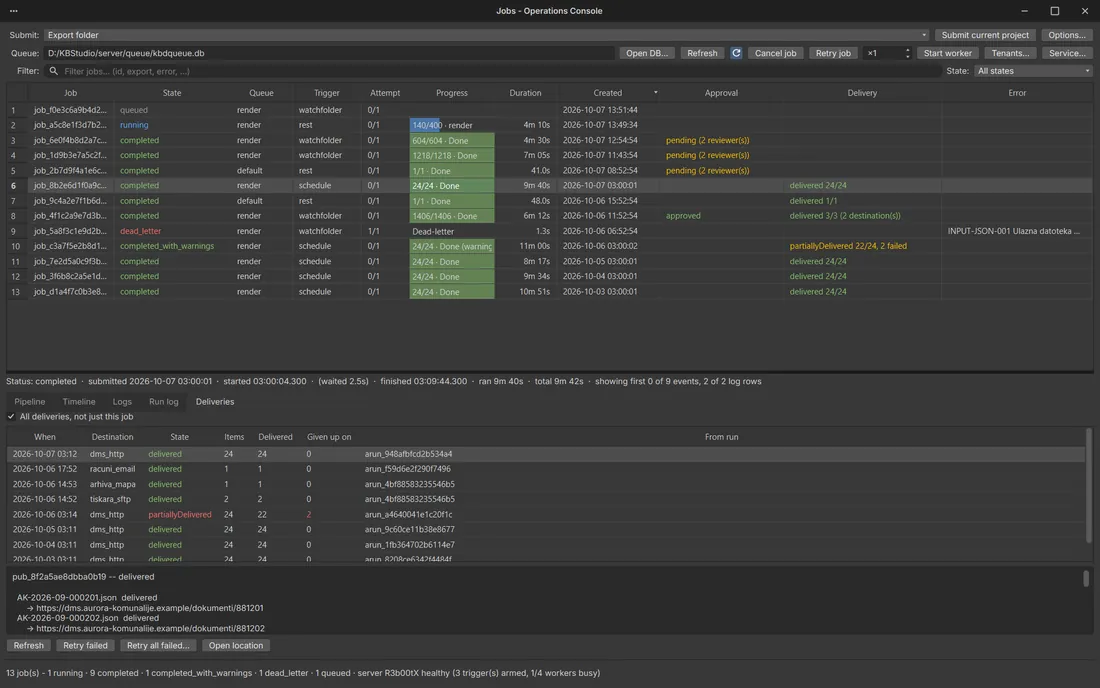
One installation can serve several customers or departments. Each tenant has its own users, queues, approvals and deliveries, and nobody sees another tenant's jobs.

  • Tenants with their own users and roles
  • Separate job queues and delivery logs
  • Approvals routed to the right people per tenant
  • Administration from the Operations console
Tenant administrationOperations console: jobs

Integrations

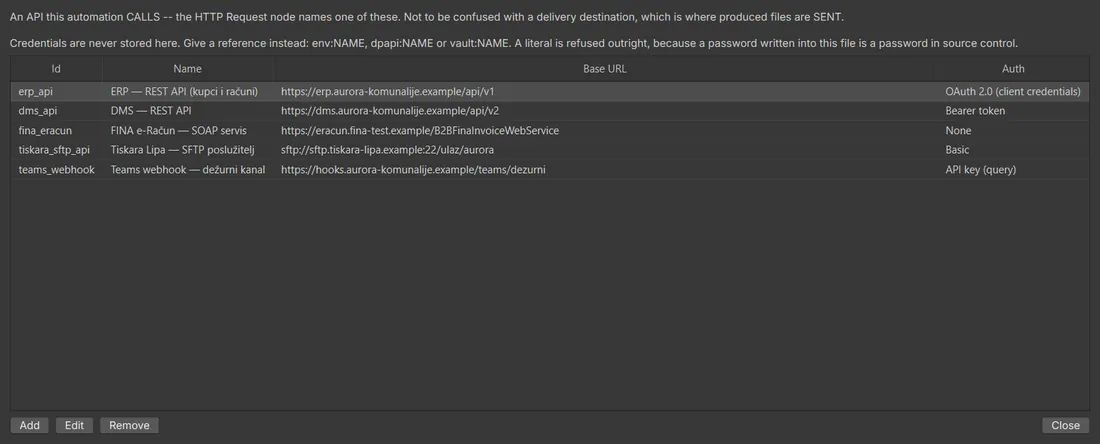
KBStudio reads from and writes to the systems you already run, so documents start from live data and end up where they are needed.
  • REST API to start jobs and pass parameters
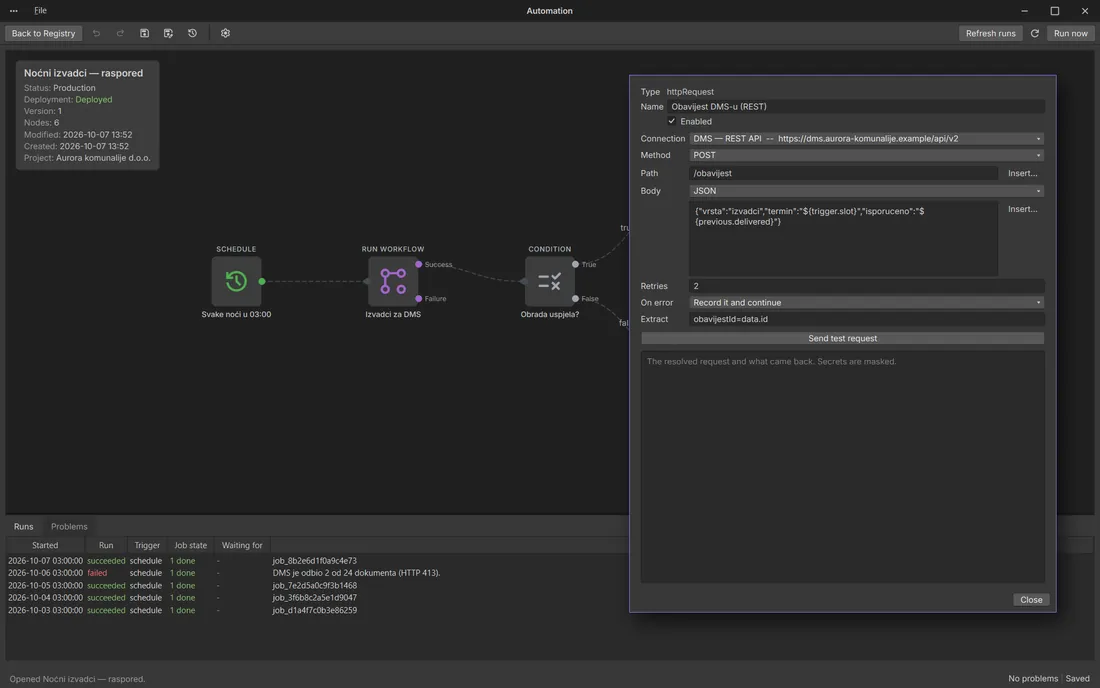
  • HTTP requests, OAuth2 and mTLS for your ERP and web services
  • SFTP in and out, SMTP for e-mail, SOAP for FINA
  • SQL databases, Google Sheets, watched folders and DMS feeds
Connections to other systemsHTTP request to a DMS
08 / Why KBStudio

What customers tell us made the difference

One program

No more design tool plus scripts plus someone fixing the PDFs by hand at the end.

Quick to start

Job Builder and the starter projects get your first job running on day one.

Made for production

Thousands of documents per run, the same result every time, and a log of what happened.

Croatian standards included

HUB3, Fiskalizacija 2.0, e-Račun in UBL 2.1 and local number and date formats work out of the box.

Show us what you produce today

Book a demo, ask for a trial or try a guided pilot on one of your own jobs. Tell us a little about your documents and we will start from the example closest to them.

↑